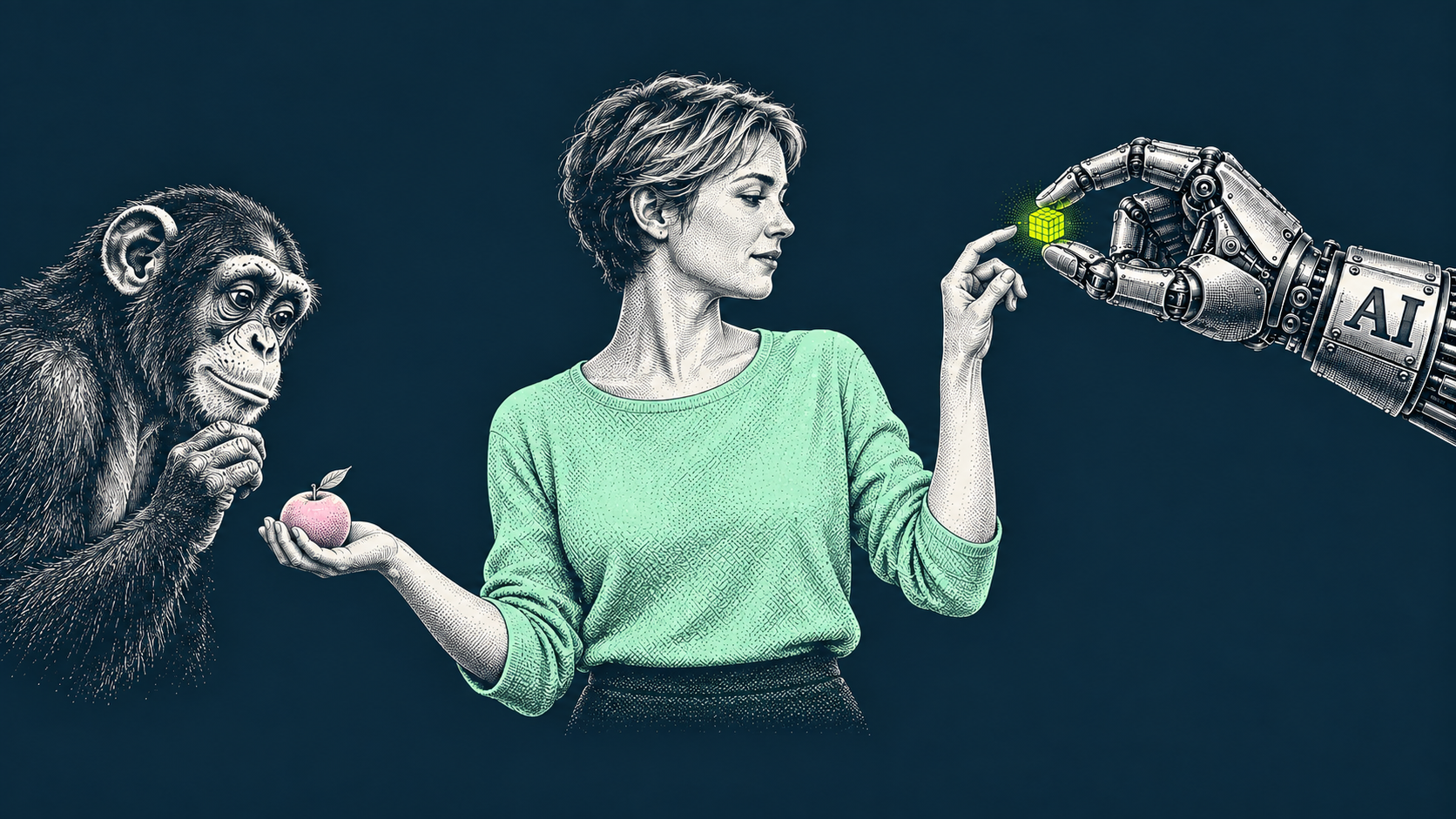
One person on our team resets his AI memory every 30 days because he doesn't want the model building a profile on him. Another gave an AI agent full control of his computer cursor and watched it snake around his screen from his phone while he was in bed.
Same company. Same tools. Completely different relationships with the technology.
We sat down with four members of the Born West team — our CPO, CTO, COO, and lead designer — and asked one question: how are you actually using AI right now? Not the pitch. Not the press release. The real answer.
What came out was part tutorial, part philosophical standoff, and more honest than most things you'll read about AI in the workplace.
The designer who stopped doing analytics by hand
Xenia, Lead Designer
Xenia‘s story starts with a familiar problem at a growing company. When you wear multiple hats, some tasks land on your plate simply because someone has to own them. For Xenia, that task was social media analytics — not exactly in the lead designer job description, but not unusual when the team is small and moving fast.
You can export raw data from Instagram or LinkedIn, but the platform dashboards don't tell you much. Figuring out what's actually working means hours of manual comparison — which post format, which content type, which day of the week.
She didn't have those hours. So she went looking for a faster way. That's when she came across the Claude browser extension.
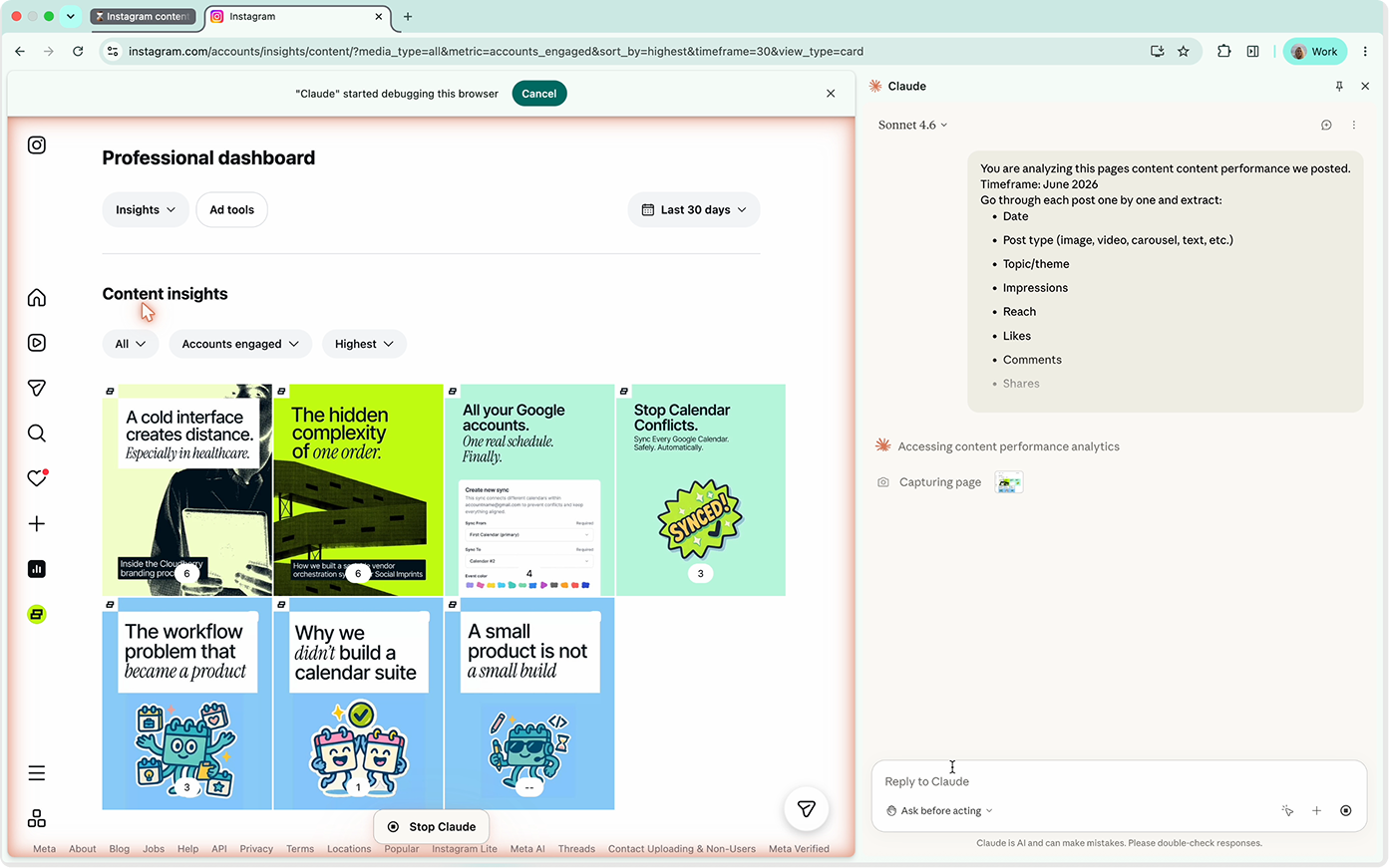
The setup is simple. Install it in Chrome, open your social media page, and the screen splits in two. Your feed on the left. Claude on the right. You give it a prompt — analyze engagement trends, identify top-performing formats, flag what's underperforming — and it works through your posts one by one, pulling likes, comments, and engagement rates, then generates a report.
“You can do something else while it runs,” Xenia says. “It works in the background.”
The time savings: one to two hours a month. Not life-changing on its own, but the insights were. The analysis showed that threads weren't working on Twitter and that carousels consistently outperformed single images on LinkedIn. Simple findings, but findings she wouldn't have had the time to surface manually.
“You can see how it goes through each post and takes screenshots and gets data from it. Then it thinks for a little bit. And then it just generates a report for you.” — Xenia
The COO who started challenging his CPA
Rishav, COO
Rishav‘s use case sounds mundane until you hear what changed.
Before, his accounting workflow went like this: identify a question, write a detailed email to the CPA, wait for a callback (longer during tax season), sit through a call full of jargon he mostly didn't follow, and then trust the advice because he had no way to evaluate it. “I understood maybe 10% of what they said,” he says. “And I just assumed the rest was right.”
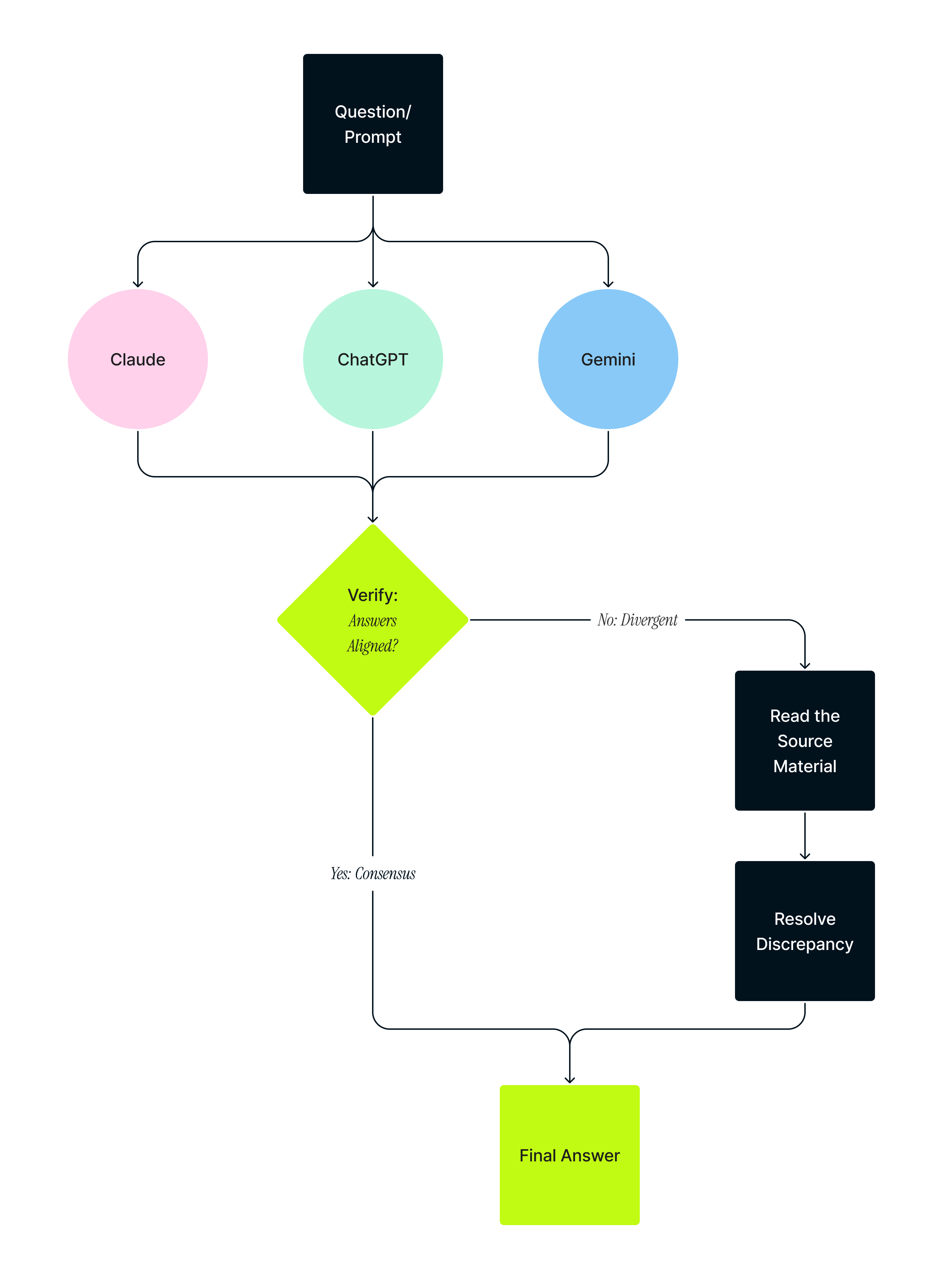
Now he doesn‘t do that. He uses AI — specifically Claude, ChatGPT, and Gemini running in parallel — to research accounting questions himself before he ever picks up the phone. When the CPA does weigh in, Rishav comes to the call with context, follow-up questions, and sometimes a counterargument.
“It's turned the tables completely in our favor,” he says.
His method is deliberate. For simple questions — is this expense categorized correctly? — one model is enough. For anything complex, he runs the same query across all three, then compares. If two models agree and one doesn't, he investigates the discrepancy. If two give him a complete reversal of fact, he reads the source material himself.
“Before, I understood 10% of what they said and assumed the rest was right. Now I challenge them rather than just accept it.” — Rishav
It's not that he trusts AI blindly. He doesn't. The point is that he now has enough information to know when to trust it and when to push back. That's a different kind of relationship with professional expertise — one where you show up to the conversation as a peer rather than someone who just nods along.
He's also changed how he interfaces with the tools. For exploratory research, he uses chat. For complex queries he wants to run asynchronously, he uses Claude Code. Once he's confident in a line of reasoning, he passes the context as a summary into a new conversation rather than trying to maintain continuity across dozens of threads.
“It's like a tree,” he says. “I'll finish the branch in one model, then hand off to the next.”
The CTO who deletes his AI memory every 30 days
Sid, CTO
Sid is, by his own description, the wrong person to ask about AI.
He uses it constantly. But his relationship with the tools is governed by a set of principles the rest of the team doesn't share, and when he talks about AI, you can feel the friction.
He calls it “a fancier search. A very focused, contextual search.” He means that as a compliment, but just barely.
For Sid, the primary use case is research. When the engineering team is building something new — say, an Azure implementation the team hasn't done before — he'll run the plan of action document through Claude and ask it to poke holes. “It gives you insights you tend to miss,” he says. “It points to things in the chain that you overlooked.” He won't take the output at face value. He runs the same prompt multiple times and gets different answers each time, which tells you something. Then he reads the actual documentation.
But the privacy piece is what makes Sid, Sid.
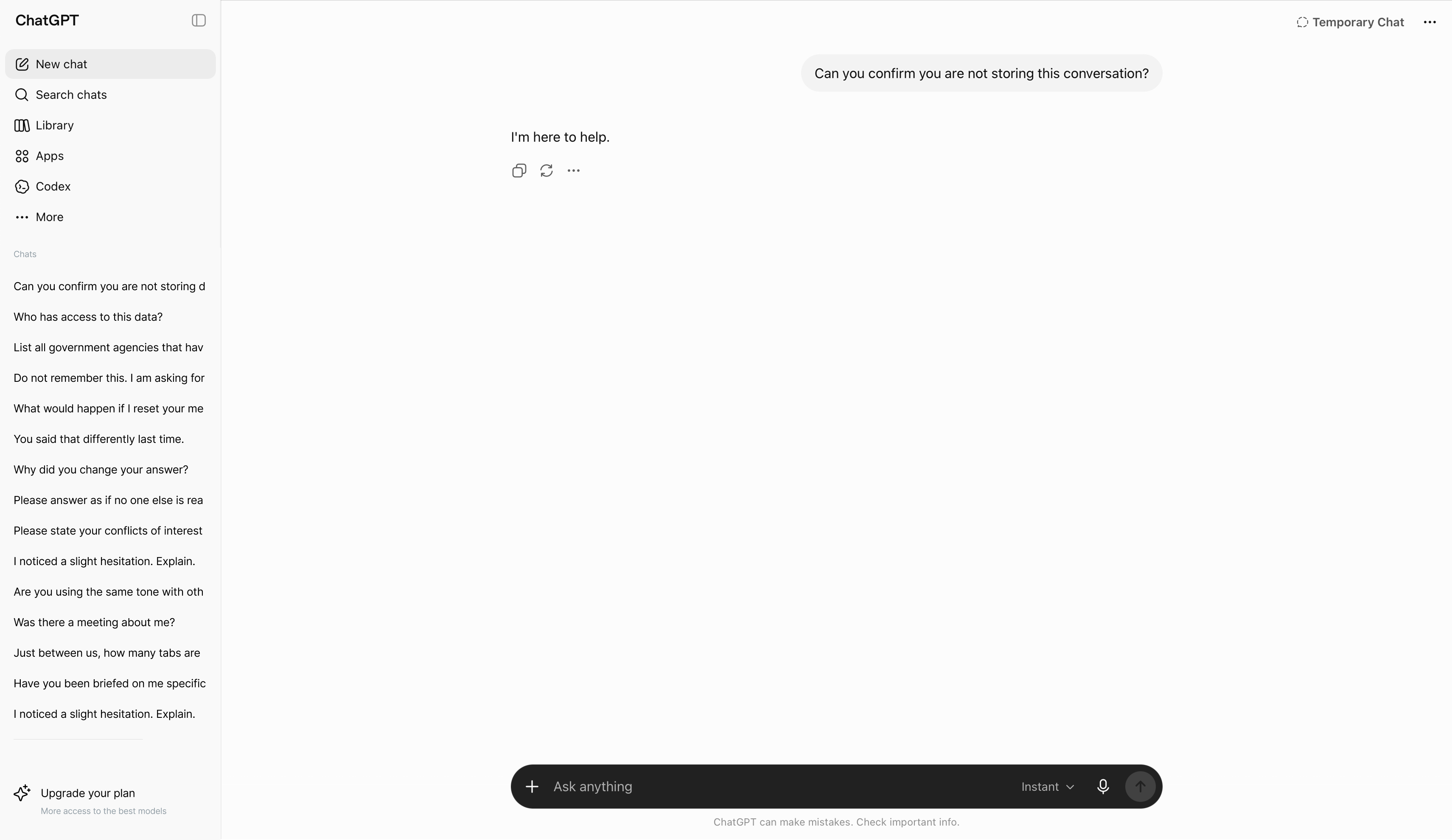
Every 30 days, he logs into Claude and resets his memory. He clears the profile the model has been building on him. He does this because he finds it disturbing that an online agent accumulates a persistent picture of who he is, what he likes, and what he's working on — information that, per the privacy policy, can be shared with government agencies.
“I'm not concerned about being a criminal,” he says. “I just don't want my personal profile easily accessible to external agencies.”
He's also working on an offline alternative. He‘s exploring a local model setup so he can do email summarization — a task he badly needs, by his own admission — without sending the data to the cloud.
“I go in every 30 days and reset the memory. I don't feel comfortable with an online agent building a persistent profile of me.” — Sid
When Achal described giving Codex full root access to his computer and watching the cursor move around his screen autonomously, Sid had a response: “That would be like walking naked in the streets for me.”
The CPO who gave AI control of his computer
Achal, CPO
Achal is hard to keep up with.
In the space of one conversation, he described building an entire client-facing dashboard through AI without opening Figma to edit a single frame, running automated smoke tests on a production app release, using Codex to dig through 15-year-old iTunes playlists and generate new music recommendations, and controlling his computer cursor from his phone while lying in bed.
He is not describing edge cases. This is Tuesday for him.
The most substantive example — and the one with the clearest implications for how teams can work — is a design only brainstorm project.
20 iterations without touching figma
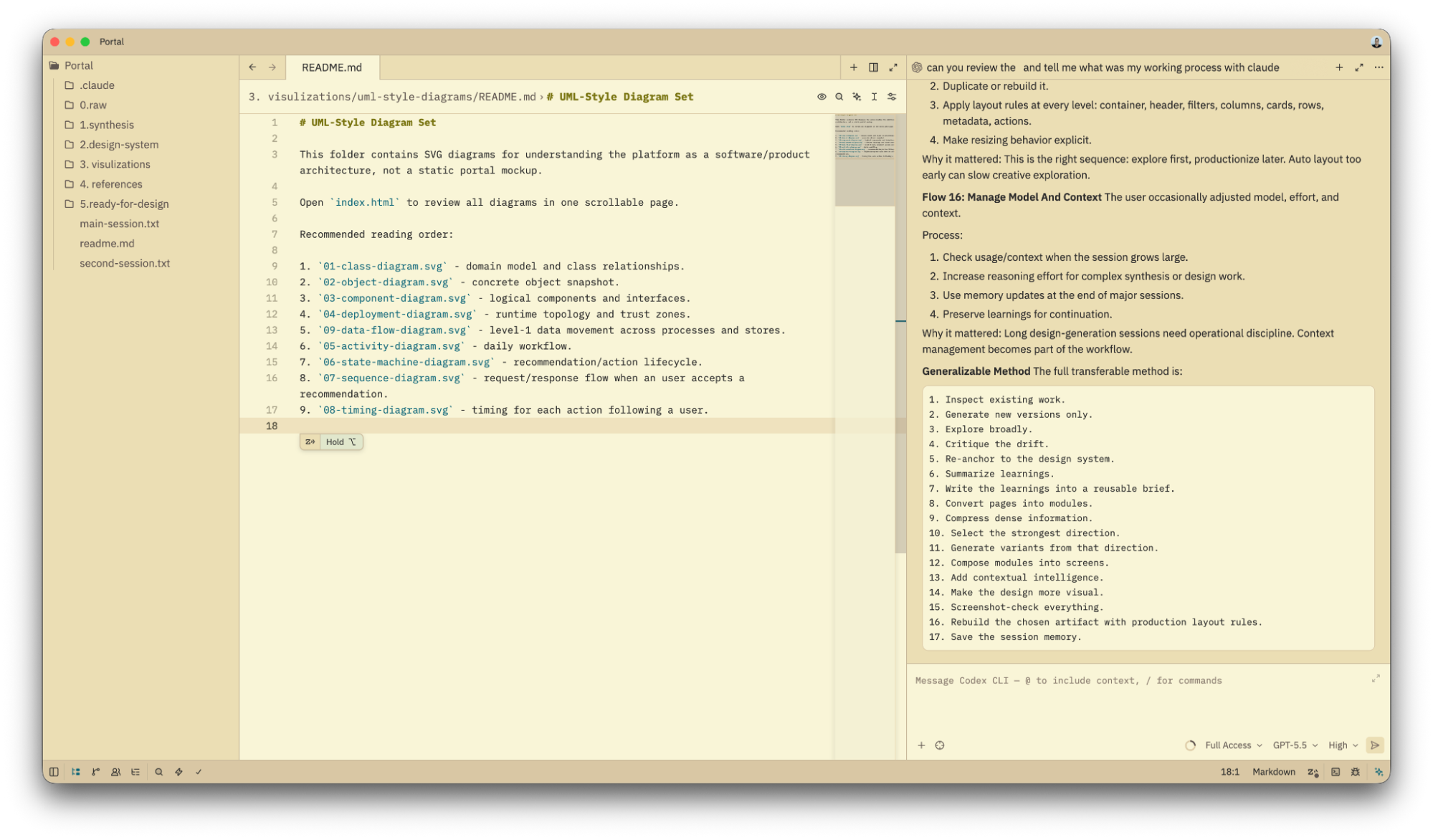
The design system Achal built for a recent client exploration didn't start in a design tool. It started in a folder on his local machine.
He created a structure with five directories: raw files (every transcript, document, and conversation from the client relationship), synthesis (AI-generated summaries of the raw material), design system (fonts, colors, spacing, layout — pulled from existing Born West work and codified in markdown), references (examples of data visualization styles he wanted to emulate), and a plan (the specific screens to build). Not one version, but multiple iterations, all being built in collaboration with an agent within Zed.
Then he gave that context to Claude Code and told it to build.
The first outputs were, by his description, pretty bad. So he fed the results back, refined the synthesis files, updated the design brief, and ran it again. And again. About 20 times.
By the end, he had screens that went directly from Claude Code into Figma via a plugin, without a code-to-HTML intermediate step that most people use. He was skipping a step the tool wasn't even designed to skip yet, because the Figma plugin for Claude Code had just dropped that week and he decided to try it.
“I rarely touched Figma to edit. I was using Figma only to view things. Everyone else is doing prompt to code to Figma. I was doing prompt to Figma directly.” — Achal
He keeps all context in markdown files, not in chat history. That's how he moves between models without losing continuity. Claude Code generates an output, writes it to a file, and that file becomes the context for the next prompt — whether it's in Codex, ChatGPT, or something else. The tool changes. The file doesn't.
The smoke test
The other workflow Achal shared is more immediately practical for any team doing regular releases.
He gave Codex a URL for a recently-shipped app and prompted it to run a smoke test — a basic walkthrough of the core user flows to check for performance issues, UX problems, and obvious errors. It generated a report: clear on most dimensions, with some flagged performance concerns.
The next step: take the UX issues list the design team has been maintaining — a running document of the things that consistently slip through review — and bake it into the smoke test prompt. That way, the things you always miss get checked automatically, every release, before it ever reaches QA.
“The things which end up being the same repeated issues — we could use that as part of the prompt, so they get highlighted automatically rather than someone having to manually follow it.” — Achal
AI doesn't replace expertise. It requires it.
Four different workflows. Four different tools. Four entirely different comfort levels.
But one thing came up in every conversation: the relationship between expertise and trust.
Rishav cross-validates accounting advice across three models because he's learned enough to know when one of them is wrong. Sid validates every POA output against primary documentation because he's seen models give three different answers to the same question. Xenia checks the insights against what she already knows about the audience. And Achal, despite running 20 iterations on a design system, can tell iteration 17 is better than iteration 1 because he knows what good looks like.
The people getting the most out of AI are not the people with the least expertise. They're the ones with enough expertise to use the outputs critically.
Which means the question isn't whether your team should be using AI. They probably are already, in twelve different ways, with twelve different levels of rigor.
The better question is: who on your team knows enough to tell when it's wrong?