
The Challenge
On paper, sales tax looks straightforward.
You install a provider like TaxJar or Avalara. You send product details through an API. The service returns the correct tax rate. Checkout works. End of story. For most e-commerce stores, that is enough.
For Social Imprints, it was not.
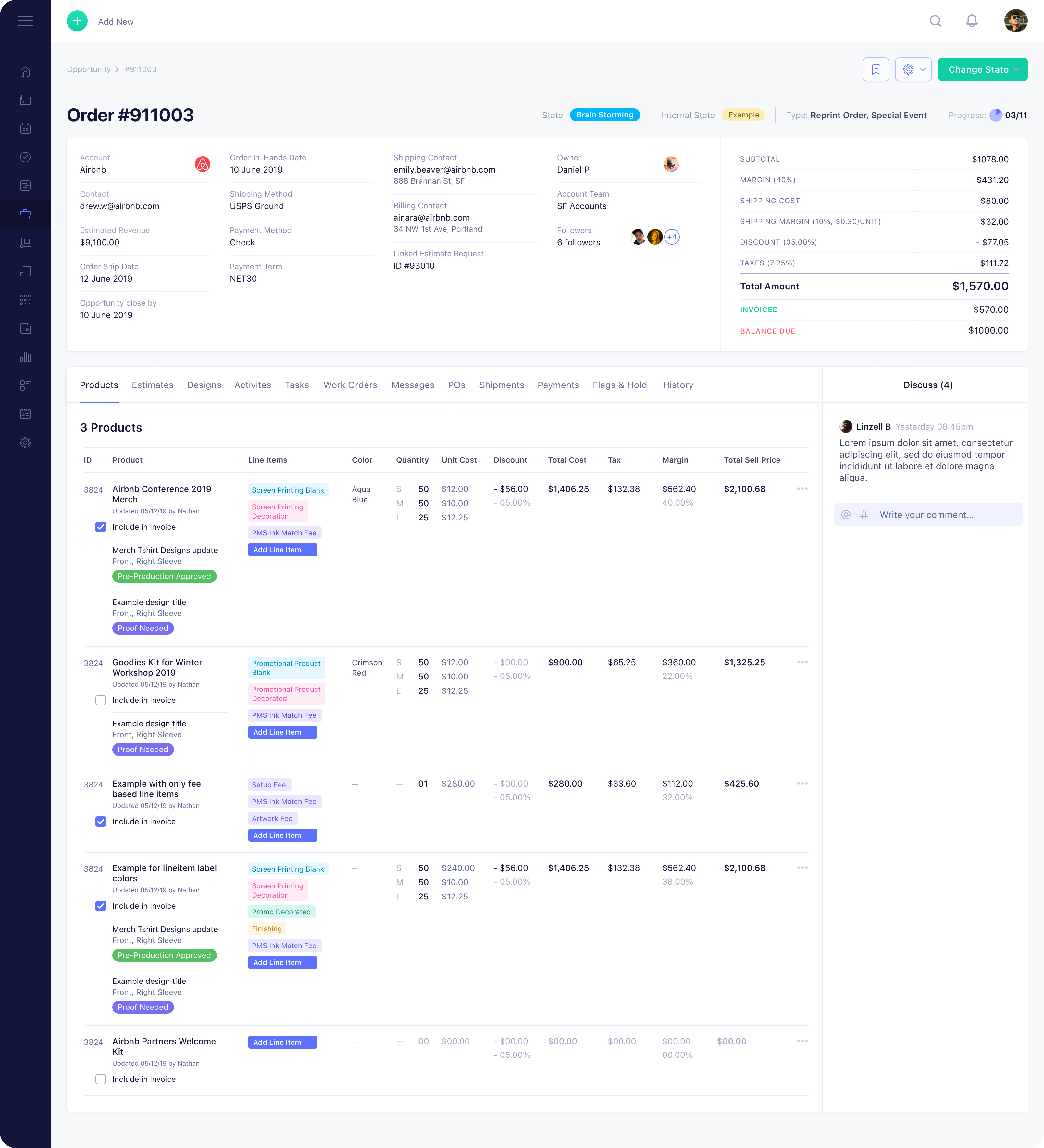
Their business is not just selling finished products. It combines physical goods, services, outsourced production, warehousing, finishing, kitting, and split shipping.
A single order may include:
- Blank apparel purchased from one vendor
- Screen printing as a service
- Embroidery as a separate service
- Setup fees such as plates or digitization
- Kitting labor inside a warehouse
- Shipping to one address or hundreds
Each of those elements can be taxed differently depending on:
- The state and local jurisdiction
- Whether the line item is a product or a service
- Where the work happens
- Where the order ships
- Whether the client is tax exempt
On top of that, Social Imprints manages more than 40,000 products categorized into over 50 line item types. Each order can combine those line items in different permutations. If line item one combines with line item forty nine, the tax outcome may change.
Before automation, tax calculations were handled manually across hundreds of monthly orders. The business had already experienced audits. That created risk.
The surface of the product looked simple. Add items to cart. Checkout. Done. Behind the scenes, the tax logic was monolithic.
Why This Was Not a Plug and Play Integration
At first glance, implementing sales tax should take days, not months.
The team evaluated established providers. The APIs were solid. The infrastructure was reliable. The complication came from the business model.
Most tax systems assume you are sending a clean product classification. A shirt is a shirt. A mug is a mug. Social Imprints works at the SKU level. Each SKU maps to a specific configuration of product and services.
Instead of sending a generic product type, the system maps SKUs directly to tax classifications. That means every SKU must be properly categorized. If the classification is wrong, the tax returned by the provider will also be wrong.
Then comes permutation.
A shirt shipped directly to a customer in one state is taxed one way. The same shirt stored in a warehouse, kitted with other items, and shipped later may be taxed differently. Add a setup fee. Add embroidery. Add split shipping.
The complexity grows exponentially. This was not a design problem. It was a business logic problem.
Key Decisions
1. Map the Business Before Writing Code
The first lesson was clear. Tax automation cannot fix an unclear business model. Before finalizing implementation, the team had to understand:
- All product and service types
- How they are constructed
- Where value is added
- How revenue is categorized
Without that clarity, automation would scale mistakes.
2. Use a Tax Provider, but Build a Custom Layer Around It
TaxJar handles rate updates and jurisdiction changes. That removed the need to track shifting local tax percentages.
But the platform alone was not enough. A custom mapping layer was built to:
- Map SKUs to the correct tax classes
- Handle mixed carts with products and services
- Apply tax consistently across refunds and partial returns
- Prevent silent failures that return 0 tax
The system sends structured line item data to the provider and validates the response. The tax engine does not guess. It follows explicit rules.
3. Design for Audits
When you operate at scale, audits are not hypothetical.
The system needed:
- Clear logs of how tax was calculated
- Traceable line item mappings
- Consistent behavior across checkout and refunds
If a city audits revenue and questions tax totals, the business must show its logic. Automation was not just about speed. It was about defensibility.
.png)
4. Accept That Tax Rules Change
Tax rates and rules shift over time. The platform provider updates jurisdiction rates automatically. The responsibility on the client side is different.
If Social Imprints introduces a new product type or service, that SKU must be mapped correctly from day one. Expansion into new regions also requires deliberate review.
Automation reduces manual calculation. It does not remove responsibility.
What Changed
Checkout now returns consistent, defensible tax totals across complex mixed carts.
Manual overrides were reduced.
The risk of silent tax miscalculations dropped.
When the business adds new SKUs, there is a clear framework for how they must be classified.
Most importantly, tax logic is no longer scattered across spreadsheets and assumptions. It is encoded in the system.
insert-stats
The Lesson for Growing Businesses
If your business combines products and services across multiple states, tax is not a backend detail. It is a structural risk.
Plug-in tools are powerful, but they assume your internal model is clean.
Before automating tax, document how you actually make money. Map every product and service. Understand where value is added and where it is shipped.
Then automate. Automation without clarity only scales confusion.
If your revenue model mixes products and services across jurisdictions, tax automation is not a checkbox. It’s a system design problem.
Book a 15-minute intro and we’ll walk through your current tax flow and risk exposure.